Accessibility
Deaf and Hard of Hearing Visitors
Serve deaf members online: captions on every sermon video, transcripts for podcasts, text contact paths, and sign language clips where possible.
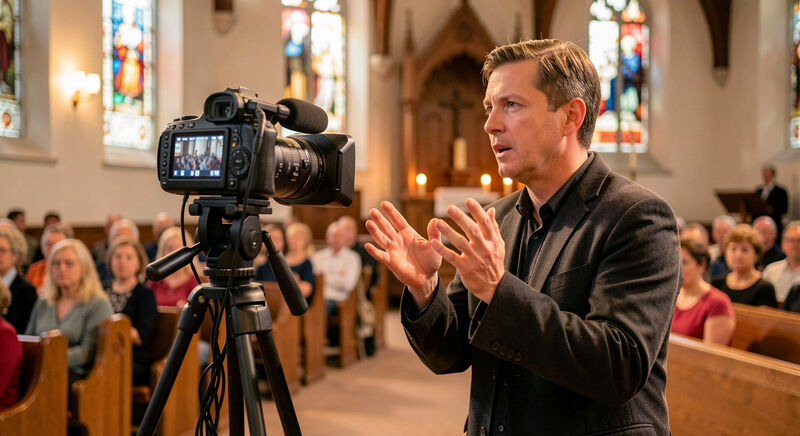
A deaf member meets the church's media the opposite way from a blind one: the sermon video's sound is the barrier, and text is the way in. Captions, transcripts and sign language versions carry the message. This guide covers the practical side of each, from the caption workflow that fits a volunteer team to the contact paths that do not start with a phone number. The National Association of the Deaf, the main advocacy body for deaf Americans, frames access to audio and video content as a baseline expectation, not a courtesy.
Hard of hearing members, a larger and quieter group, sit between worlds: they use hearing, imperfectly, and they lean on captions when the room is loud or the audio is muddy. Good captions serve both groups, and the sermons they unlock stay useful to everyone else, from the member who missed a week to the language learner reading along.
What do captions have to get right?
Automatic captions on a sermon recording reach ninety percent accuracy on a good day, and a sermon is not a good day: hymn titles, book names and Hebrew words all falter. Ninety percent accuracy means a wrong word every tenth, enough to change a verse. The workflow that fits a small team: let the automatic pass run, then one volunteer reads the transcript against the recording for fifteen minutes and corrects the errors, saving as they go. Accuracy and timing both matter; a caption that lags three seconds behind the preacher fights the reader instead of helping.
Who should be named in the captions?
Speaker changes need caption labels, and in a service with multiple speakers, preacher, liturgist, reader, the caption stream should say who holds the floor. Songs deserve their titles, and scripture references belong on screen when the passage is read, because a deaf member cannot catch the reference by ear to look it up. These small editorial choices make the difference between captions as compliance and captions as a seat in the room.
Why does a transcript still matter with captions?
The transcript is the same text, delivered as a web page rather than as timed lines on a video. It serves members who read faster than the sermon runs, members using braille displays, and every search engine that indexes the sermon by its words rather than its title. A transcript page with the date, the passage and the sermon title in real headings costs the team one copy and paste from the caption editor, the habit shared with the low vision guide, where the same text serves screen readers.
What does a sign language version involve?
American Sign Language is a language of its own, not signed English, and for members whose first language is ASL, an interpreted service or a signed video of the sermon communicates more fully than captions ever can. Some congregations interpret the whole service live, others record a signed version of the sermon alongside the spoken one, and others embed the interpreter in the livestream frame, a layout question the streaming guide addresses. The interpreter needs preparation materials like anyone in the service: the order, the songs, the scripture passage, in advance.
How should contact pages work without phones?
A contact page offering only a phone number has told a deaf member the church is unreachable. Every contact path on a church site should have a text alternative: an email address in real text, a contact form that works, and a messaging option on the church's social accounts where the congregation runs them. Video relay numbers exist and serve some deaf callers, but relying on a member to arrange a relay call to ask about Sunday's potluck is a design failure, not an accommodation. The home page checklist makes the text contact block a standing element for exactly this reason.
What about hearing loops and the website's role?
Many churches install a hearing loop in the sanctuary, the system that streams the service directly to hearing aids with a telecoil. The website's job is to say so, plainly, on the what to expect page and the accessibility page, because a hard of hearing visitor choosing between churches weighs that detail heavily. The same page should state the other in room provisions: front row seating with clear sightlines to the interpreter, printed orders of service, and anyone available with a notepad. Information is the accommodation the web team controls completely.
How do alerts and announcements reach deaf members?
Congregation wide alerts travel by phone tree in some churches, which leaves deaf members outside the tree. Text channels, SMS alerts, email lists and any group messaging the church already runs, reach everyone equally, and the website should say which channels exist and how to join them. The publishing habits that keep those channels honest, current dates, plain wording, belong to the writing guide; the decision to make text the default alert path belongs to the leadership.
Where does a church start on Monday?
Three moves, in order. Turn on captions for the sermon archive and schedule the fifteen minute correction pass after this Sunday's recording. Add an email address in real text to the contact page if it is missing. Ask one deaf or hard of hearing member what the site gets wrong, and fix that one thing first. The rest of the accessibility section follows the same pattern: small structural habits, applied weekly, that turn the site into a front door rather than a barrier.