Writing and Local Search
Content and Outreach
The content section in one page: writing pages newcomers read, keeping a small volunteer team publishing, and being found in local search.
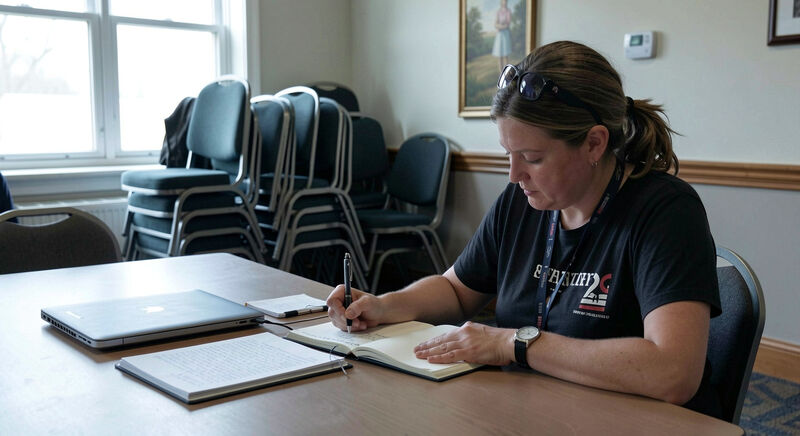
A church website lives or dies by what is written on it, and by whether anyone keeps writing. This section gathers the content guides: the writing habits that make pages people actually read, the local search work that helps a newcomer find the congregation before visiting it, and the volunteer routines that keep both running after the launch energy fades. The shared reference behind the writing guide is plainlanguage.gov, the United States government's own discipline for sentences that citizens understand the first time.
The section's premise is uncomfortable for committees: a modest site, published steadily, beats a beautiful site updated twice a year. Content rhythm is the whole game, and everything here serves it.
Guide one: writing for church websites
Writing for church websites sets the habits: short paragraphs, plain words, the What to Expect page written to calm nerves rather than to impress members, dates written out in full, and announcements retired the week they expire. It treats the church's internal vocabulary, the acronyms, the ministry names, the shorthand, as the enemy of the newcomer, and prescribes expanding every one of them once. The guide also covers the sermon notes and newsletter pages, the two formats congregations publish most and structure least.
An example, because the habit is easier to copy than to describe. The announcement as it was typed: "The CMG potluck has been moved due to VBS setup, see Deb." The same announcement written for a stranger: "The college group potluck moves from Sunday to Saturday, June 14, at 5 p.m., because the children's summer program is setting up in the hall. Bring a dish if you can; the kitchen opens at 4. Questions: call Deb in the office on Tuesday mornings." The second version is longer, and it earns the length: it expands each group name once, gives the new date in full, and says where questions go. Nothing in it required talent, only the decision to write for someone who has never heard of the ministry.
Guide two: local search
How newcomers find a church follows the actual search: someone new in town types "churches near me" or a denominational phrase, and meets the congregation's map listing before its website. The guide covers claiming the business profile, matching name, address and phone everywhere they appear, service times as real text, photos of the actual building, and the patient answering of reviews. None of it costs money, and almost none of it requires the website itself to change, which surprises teams who expected to start with the site.
One detail deserves its own paragraph: the review answer is content too. A two-line reply to a year-old review, written in the congregation's own voice, thanking the visitor and noting the Saturday service time, is read by more strangers than the review itself. The reply sits next to the listing wherever the listing appears, and newcomers read its tone before they read anything the church has published on purpose. Answering slowly is acceptable; answering in a voice borrowed from a corporation is not.
Guide three: the volunteer web team
The third guide is the section's own spine, drawn through both pages above: who writes, who publishes, who retires the expired content, and what happens when that person moves away. The working pattern for a small church is three named roles, not job descriptions but people: a writer who drafts the announcements, a publisher who posts and prunes on a fixed weekday, and an owner, staff or elder, who holds the logins and answers when the site misbehaves. The roles can collapse into one volunteer for a season, but the congregation should know when they have. A site whose publishing depends on an unnamed someone is a makeover waiting to happen, and the makeovers guide treats the team question as part of the platform decision it is.
What goes in a handover when the volunteer leaves?
The handover document is one page, and writing it is the owner's job, not a courtesy for later. It lists the logins and where the recovery email goes, the publishing rhythm with its fixed weekday, the recurring items with their expiry habits, and the two or three decisions that are easy to unlearn: dates written out in full, every acronym expanded once, nothing left posted past its week. It names the one person to ask before the home page changes. A congregation that keeps this page current loses a volunteer without losing the site; one that doesn't loses both, and usually finds out in September, when the service times go stale and nobody holds the password. Reading the page against what actually happens, twice a year, is the whole maintenance cost, and it takes fifteen minutes.
What does a publishing rhythm look like?
The honest cadence for a small church is weekly and monthly. Weekly: the announcements posted and the expired ones retired, the sermon published with its title and passage, the livestream link checked while the stream runs. Monthly: the calendar scanned for next month's events, the home page dates verified, the news block pruned to the current three items. Seasonally: the What to Expect page reread by someone who has never visited, the staff page updated when someone joins or leaves, and the design checklist run once against the home page. Written down, the whole rhythm fits an index card, and it keeps the site's trust intact, the way the checklist's dated content rules intend.
How does content serve the site's other sections?
The content guides sit downstream of the design and tools decisions. The design section builds the pages; this section fills them and keeps them true. The tools section chooses the platform; this section decides whether its editing screen is used at all. A congregation that reads only one section of the three should read this one, because content discipline rescues weak platforms and weak designs, while the reverse never holds: no platform substitutes for a page nobody has updated since the lockdown.
Who is this section written for?
The office administrator who inherits the site with no handover document, the volunteer who offered to "do the website" and now needs a boundary around the offer, and the pastor who wants the congregation's writing to sound like itself online. The guides keep their advice vendor neutral and free; the tools questions live in the tools section. Corrections, field reports and handover stories are welcome through the contact page, and the section about the site itself lives on the about page, where the magazine's scope and voice are stated plainly.
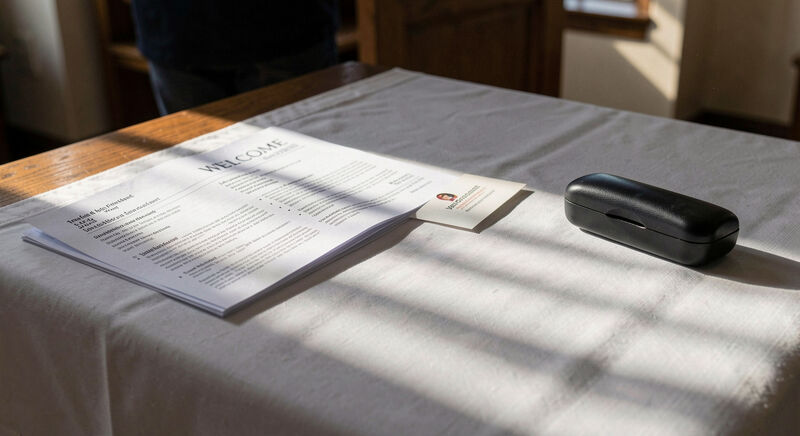
Writing and Local Search
Writing for Church Websites
Write church pages people actually read: short lines, plain words, a What to Expect page that answers nerves, dates that stay current, scannable sermons.
Answer the scanner in the first sentence.

Writing and Local Search
How Newcomers Find a Church
Be findable when someone searches churches near me: a claimed business profile, matching name and address, service times in text, and reviews answered.
The map listing answers before the site loads.