Tools, Hosting and Giving
Tools, Hosting and Giving
The tools section in one page: choosing a CMS or church platform, what hosting really costs, live streaming services and safe online giving.
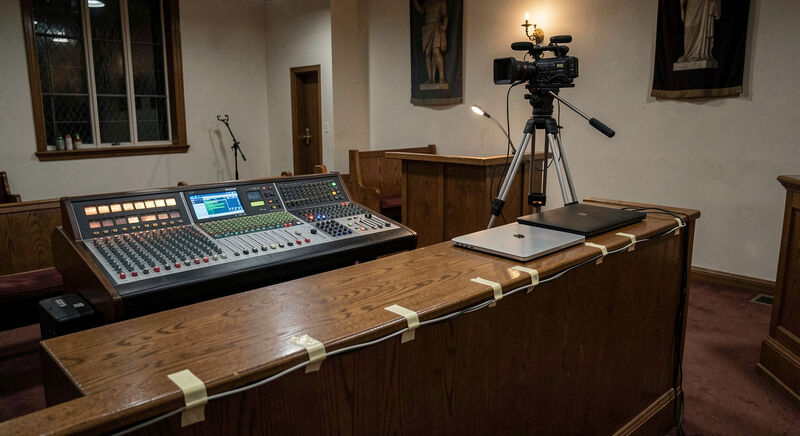
The tools a church runs its website on decide who can maintain it, what it costs each year and what it can grow into. This section gathers the guides on those decisions: choosing between a general purpose CMS and a church specific platform, understanding what hosting money actually buys, setting up a livestream that survives its first Sunday, and building an online giving page members trust. Each guide treats vendors in the third person, because the section reviews categories and decision axes, never brands as recommendations.
Tool decisions outlive the teams that make them. A platform chosen in an afternoon by one volunteer constrains the next three volunteers for years, which is why the guides here spend their length on the questions to ask rather than the products to buy.
Guide one: choosing the CMS
Choosing a church website CMS walks the decision axes: who will actually edit the site week to week, what content it must publish, how sermon media and giving integrate, what the real annual cost runs, and the exit question nobody asks, how the congregation leaves the platform with its content and its addresses when the time comes. The guide uses WordPress, the general purpose CMS running a large share of the web's church sites, as its standing example of the general path, without ranking it above or below the church specific platforms. Its practical test is small: hand the keyboard to the person who posts the bulletin and watch where they hesitate, because that hesitation, repeated weekly, is the real cost of the platform.
Guide two: hosting choices
Church website hosting choices explains what the hosting line on the budget buys: uptime, backups, page speed, support that answers at nine on a Saturday night before the Sunday launch, and email on the church's own domain. The guide also prices the "free looking" site, the one bundled with a platform plan or a volunteer's spare server, and shows where its costs surface instead, usually at the worst moment. A recurring case makes the point: a site served from a box in the vestry runs until the power company cuts the street on the Saturday of the Christmas service, and the recovery, a proper host with backups and a number to call, costs less per year than the office printer’s toner.
Guide three: live streaming
Live streaming church services starts where every stream should: audio from the sound desk, clean and level, before any camera question. One camera, one stable link, a platform the congregation already uses, and an archive that stays findable carry a long way. The guide covers the podcast feed as the same pipeline's second output, and the accessibility debts a stream accrues when captions wait for later. It prices the first Sunday honestly: the stream that works is rehearsed at the hour the service happens, with the desk powered as it will be powered, not demonstrated on a quiet Tuesday.
Guide four: online giving
Online giving for church websites treats the giving page as trust design: fees explained in plain numbers, recurring gifts that members control, receipts that survive tax season, and links that survive a platform change. The guide keeps the finance and tax questions practical, pointing to the IRS charitable contribution rules where the American details live, and keeps the pastoral question front and center: a giving page that feels like a sales funnel has failed spiritually before it fails financially. A worked example shows what integration buys: a recurring gift held in the provider’s dashboard under the member’s email moves with the provider, not the parish, so every monthly giver types a card number again when the church switches.
How do the four decisions interact?
Each tool decision reshapes the others. A church specific platform bundles hosting, giving and streaming at one price and one lock in. A general CMS separates them, cheaper in parts and richer in choices, at the cost of integration work a volunteer team must own. A livestream platform chosen for its free tier can dictate where the sermon archive lives, and a giving provider chosen for its low fee can own the member relationship the church thinks it owns. Reading the four guides in order shows the seams where those couplings appear, and where to cut them deliberately rather than discover them later. One congregation’s timeline makes a seam visible: it picked a streaming service for its free tier, accepted its watermark and archive rules, and learned two years later that the sermon library, the pages search engines actually saw, lived on someone else’s domain under someone else’s terms.
What budget shape does the stack take?
A church stack usually spends in three pockets: the subscription or hosting line, paid monthly or yearly; the giving processor's percentage, paid per transaction and invisible until the finance report; and the volunteer hours, paid in evenings and never invoiced. The guides ask teams to price all three pockets before choosing, because the cheap option in dollars is routinely the expensive one in hours, and the bundled option that hides the hours quietly owns the percentage. A congregation that knows its three numbers negotiates every renewal from a chair rather than a kneeling position. On a mid sized budget the arithmetic reads plainly: fifteen to forty dollars a month for the host or the platform, roughly two percent of every gift for the processor, and three volunteer hours a month for edits, uploads and the annual refresh. Priced at any modest hourly figure, the hours routinely outrun the subscription, which is why the guides ask teams to count them first.
Who holds the logins when a volunteer steps down?
Every tool in the stack arrives inside an account, and the account outlives the volunteer who opened it. A sound tech creates the streaming login under a personal email, the treasurer signs up with the giving provider on a card that expires, and the domain sometimes sits in a registrar account last opened in another decade. The four guides each meet this problem where it touches their subject, and together they point at one practice: a church email address for every account, a second set of recovery details in the office, and a single page naming who holds what. That page costs an evening to write and spares the congregation a migration stalled for months because nobody can prove ownership of the domain. The exit question in the CMS guide is this question asked early, at the sign up form rather than at the departure.
What does this section not do?
It does not rank vendors, track prices quarter by quarter or accept the premise that a tool can substitute for a team. A church site stays honest through publishing habits, not subscriptions, and the companion guides live in the design section and the content section. When a tool migration becomes a full rebuild, the staged plan in the makeover guide governs, platform choice included. Field reports from teams who ran these decisions on real budgets are welcome through the contact page, especially the exits: how a congregation left a platform and what it kept.

Tools, Hosting and Giving
Choosing a Church Website CMS
How a church team should choose its CMS: who edits, what it must publish, sermon media, giving links, costs, and the exit question nobody asks.
Who edits on Tuesday night decides the platform.
Tools, Hosting and Giving
Church Website Hosting Choices
What church hosting money buys: uptime, backups, speed, support that answers, email on the domain, and the real monthly cost of a free looking site.
Uptime, backups, and the renewal price.
Tools, Hosting and Giving
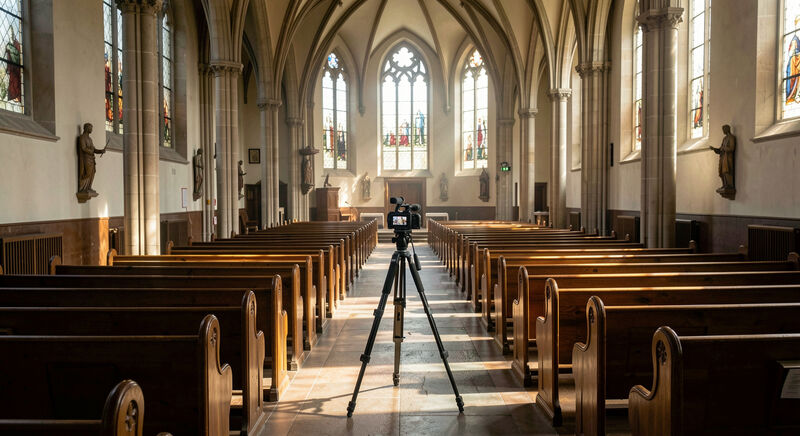
Live Streaming Church Services
Stream a Sunday service with what the church already owns: one camera, clean audio from the desk, a stable link, and an archive that stays findable.
Sound from the desk before any camera.

Tools, Hosting and Giving
Online Giving for Church Websites
Set up online giving that members trust: one clear page, fees explained, recurring gifts, receipt records, and links that survive a platform change.
A quiet page, honest fees, receipts that last.