Design and Home Pages
Planning a Church Website Makeover
Run a church website redesign in calm stages: inventory the old pages, keep the addresses that carry traffic, test with real visitors, then switch.
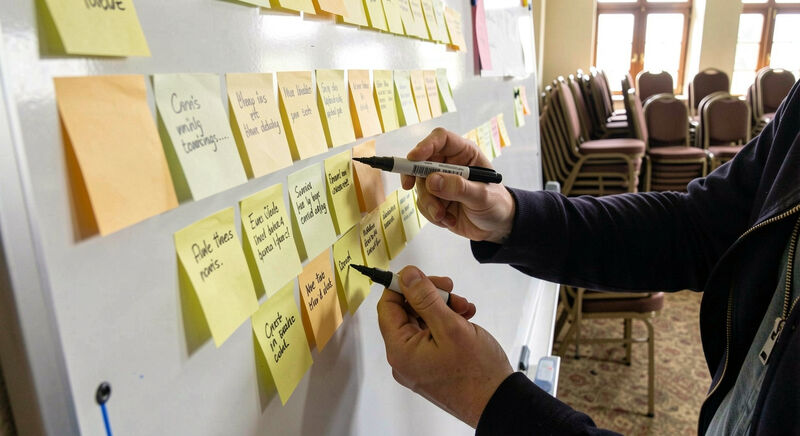
A church website makeover fails in predictable ways: it starts with a template choice, it runs long, it launches with broken addresses, and the congregation discovers the new site cannot do what the old one did. This guide lays out the staged plan that avoids all four, from the first inventory to the launch checks. The stage that teams skip, the inventory, is the one that protects years of accumulated search visibility, because Google has learned to find a church through its old addresses.
The plan assumes a small team: a coordinator, one or two volunteers, and a pastor or elders group that approves direction. It works on a Sunday afternoon rhythm for a season rather than a sprint, which suits volunteer reality.
Stage one: what does the old site actually hold?
Before any design work, the team lists every page of the current site in a spreadsheet: address, title, what it contains, when it last changed, and whether anything links to it. Most church sites turn out to hold three kinds of pages: a handful that visitors use, a long tail of past events and expired announcements, and a few pages that carry outside links or search traffic. Tools that crawl a site build the list in an afternoon, or the team walks the sitemap by hand. Every page gets one of three verdicts: keep and rewrite, merge into another page, or retire with a redirect.
Stage two: decide what the new site must do
A makeover that only changes appearance repeats the old site's structural problems in new colors. The team should agree on the site's jobs before opening a template: reach newcomers, inform members, host sermon media, receive giving, serve the community. Each job points to a page or section, and the home page checklist turns the newcomer job into a concrete structure. Jobs that no one owns get cut, which is how the new site stays smaller than the old one.
Stage three: choose the platform deliberately
At some point the makeover becomes a platform decision: rebuild on the current tool, move to a general purpose CMS, or adopt a church specific platform with built-in sermons, giving and member tools. That decision deserves its own process, laid out in the CMS guide, and it should account for who will edit the site after launch, not only who builds it. A platform chosen for its demo rarely survives contact with the volunteer who updates it monthly.
Stage four: write before designing
Content written after the design arrives arrives late and padded. Writing first keeps the design honest, because the designer lays out real sentences instead of placeholder text. The core set is small: home, about, what to expect, service times, ministries in plain summaries, contact, giving, and the sermon archive plan. The writing habits in the web writing guide, especially short paragraphs and plain words, halve the editing rounds.
Stage five: build on a staging address
The new site gets built on a private address, or a local copy, where the team breaks things without the congregation watching. This is the stage to check the details that quietly cost visitors: photos compressed for phones, menus that work with a thumb, the footer year, and every page against the dos and don'ts list. Members over fifty five deserve a specific test session, since they are often the heaviest users of the site and the least likely to report a problem; the older members guide lists what to watch.
Stage six: map every old address
On launch night, every address in the stage one spreadsheet needs a destination: a matching page on the new site, a redirect to the nearest page on the same subject, or a clean retirement. A permanent redirect, the status code 301, tells search engines and old links that a page moved, and Google documents exactly how these passes transfer signals to the new address. The failure mode teams regret most is the blanket redirect: sending every old address to the home page reads to search engines as a soft error and discards the relevance each page had built. One to one subject mapping takes an hour and preserves the years.
Stage seven: launch checks that take an evening
Launch night has a short list. The domain resolves to the new site, the redirect map fires correctly for a sample of old addresses, the site works on a phone on cellular data, the giving page completes a test transaction, and the search listing assets are in place: the sitemap is reachable and the local business listing matches the new address and hours, the details the local search guide covers. Then the team sleeps before announcing anything, because the first morning after launch finds the bugs the checklist missed.
Stage eight: the hundred day routine
A makeover ends not on launch night but when the site survives its first seasons on its own. The first hundred days set the publishing rhythm: news items posted and retired on schedule, sermons published weekly, dates checked monthly. If the routine holds, the new site stays honest; if it does not, the team has built a second outdated site at a new address. Teams that discover the routine costs more volunteer time than they have can revisit the platform decision, because hosting and support arrangements can shift maintenance work off volunteers, at a cost worth knowing in advance.
What does a realistic makeover calendar look like?
For a mid size congregation with a coordinator and two volunteers, the stages take one season: two weekends of inventory and decisions, a month of writing alongside staging build, two weeks of testing and redirect mapping, one launch evening, and the hundred day routine after. Churches that compress the calendar usually pay in stage six, because redirect mapping under time pressure becomes the blanket redirect the plan exists to avoid.